We are committed to ensuring the very best outcomes for children and support their learning beyond just the traditional school day. To that end as a trust we provide a well managed learning platform and weekly lesson content from your child’s class teacher that you can access at home should you wish to continue learning at home more about the things that your child’s class are doing in school. We also wish to work with you to support your child in accessing their lessons and schoolwork from home should they be off school but still able to participate (such as a broken leg). We have a package of online tools for the delivery of remote education; using Microsoft Teams and Microsoft 365, as well as several additional online learning platforms, such as Accelerated Maths, ClickView and Literacy Planet, to name a few.
We have built this website so you can access all the information you need to get your child online and access their learning. There are also videos, help guides and links for you to access all the resources.
Home learning may take two forms:
Doing some extra work at home to follow on from what your child is learning in class, or
Remote Learning by accessing your normal class work when your child has to stay at home, but is able to join in learning.
This website will explain how our platform and systems will help both.
How does remote learning work?
Teachers deliver lessons in their classrooms and also on Microsoft Teams Video. These are accessible from home, via the Microsoft Teams app at any time. This is installed on their school computer but also easily installed on a home device. You will need to either download Teams or use the Web App (both available at teams.microsoft.com). Your child will then be able to go to their calendar and join their class’ lesson.
These lessons are more than just a one-way stream but a collaborative video call and so your child will be able to participate fully as though they were at school.
What can my child work on independently?
In addition to the direct teaching through Microsoft Teams, teachers assign a range of activities that children can complete.
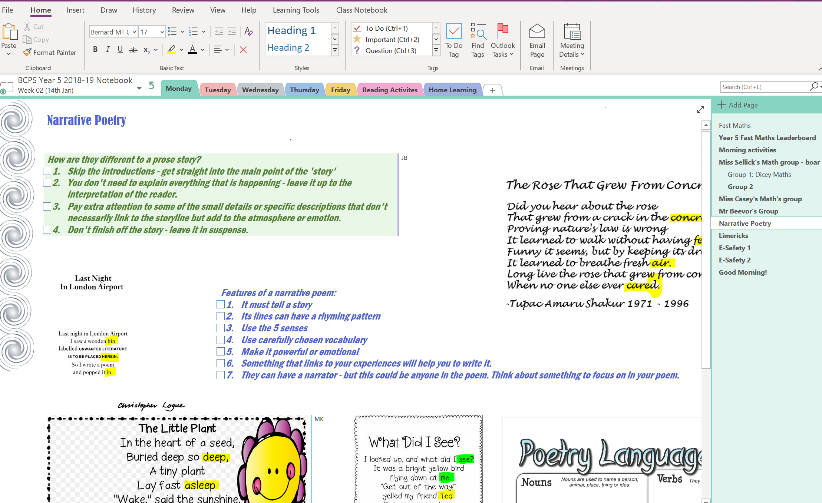
Your child will access the lesson resources, as they currently do, from the Class OneNote Notebook. On the page there will be links to access learning materials from other online learning tools, such as Accelerated Maths, Literacy Planet, Purple Mash and Espresso. For more information on how to access these resources please go refer to our learning guides.
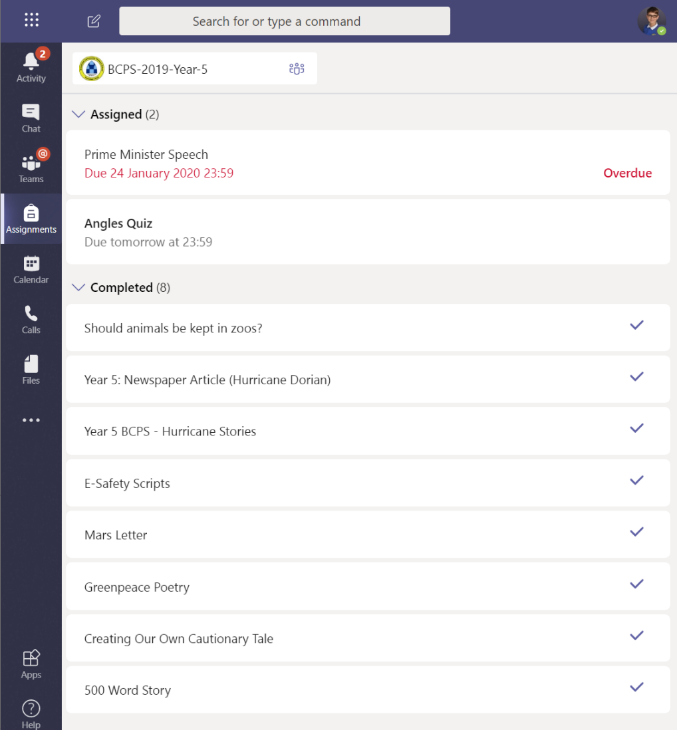
To see the work that is assigned to your child and when it is due, please choose the ‘Assignments’ icon in Microsoft Teams where your child can find the assignment information and submit their work when it is done.
If they complete their work in an exercise book, they use the web camera built into the Surface device, on an iPad or phone to capture the work and upload it. Using an application called Office Lens, which will allow your child to easily photograph the work.
If you require a list of your children’s login details, please contact your child’s class teacher.
What if I am struggling to access the online resources or I am stuck with my work?
In addition to the range of ‘how to’ guides found on the Learning at Home website we have added to the Class Teams ‘channels’ where your child can chat with their teachers asking for support and help. There are extracts from the Headteacher’s Blog that deals with the approach that we take to supporting learning at home.
What if we do not have a device at home?
In the event that your child needs to be off school for a period of time, in order to access remote learning it may be possible to borrow your child’s school device. You can find out more about this here.
What devices can I use to access the home learning from?
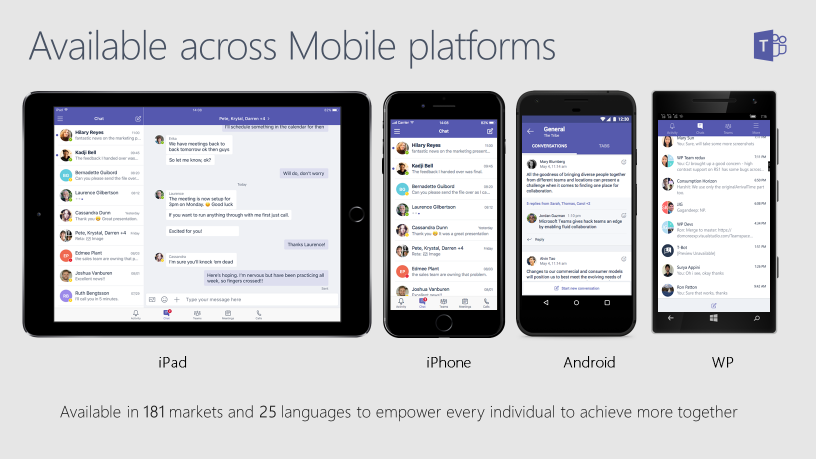
If you have devices at home then you can use Microsoft 365 Microsoft Teams on a Windows PC, an Apple device and Android devices. Children will be able to join calls from laptops, tablets or smartphones, through the app. However, we would suggest that the device that your child uses has a screen that is large enough for them to easily watch the teacher’s presentation or electronic whiteboard notes.
This does not require a high-end device. Teachers teach in a manner that is straight-forward and does not need any additional offline tools, other than Microsoft 365 and the online resources.
You can access everything through a web browser and all the logons can be found on the Help Guides page of the web site. Please click on the links that will take you to the login pages for Microsoft 365 and the other learning resources.
You can also install the Microsoft 365 apps onto your devices at home. Your child is entitled to install the full Office suite from the web site onto a PC and the apps for Teams, OneNote and Office on your different devices. There are also apps for Clickview.
What are the guidelines for my child’s use of the school’s online resources?
There are several key guidelines that we will be following, in order to ensure positive online behaviours on the school digital platforms.
Children will be expected to behave in a polite and courteous manner with their peers and teachers, while online.
Staff will be available within the school day for online support. Teachers are not available outside of normal educational hours.
We recommend that children have adequate time away from devices and that they have enough opportunity for physical activity.
Please set up a working environment where you can both supervise and support children during that time. Set clear expectations for the sensible use of the device and to ensure that it does not get damaged.