Dining Portal Help Guides

All you need to know about Dining Portal features and navigation
User Guide Cards
Login Section

To Log In

Login Instructions

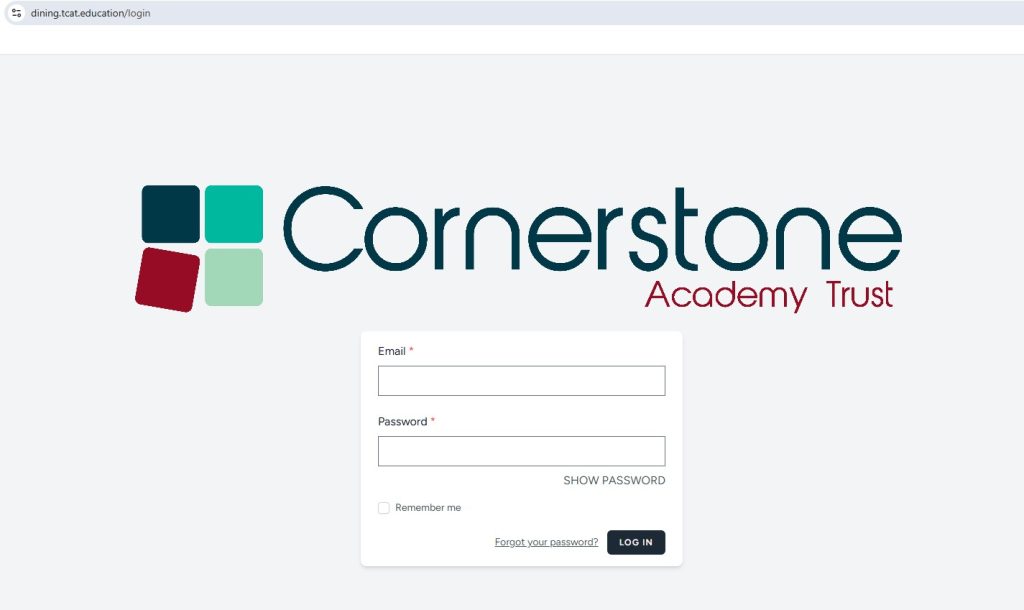
On the iPad please click on the web browser (Microsoft Edge)  and the new dining system login page will be displayed.   

If the login page does not display please type in the website: https://dining.tcat.education  

The table number, email and password is on the back of each ipad. Each iPad is specific to a table number.
To log in, follow these steps:

  • Enter your Username in the provided field.
  • Type your Password carefully
  • Click the Login button to access your account.

Walking through tutorial 
Click below to watch

Table Plans

Serving

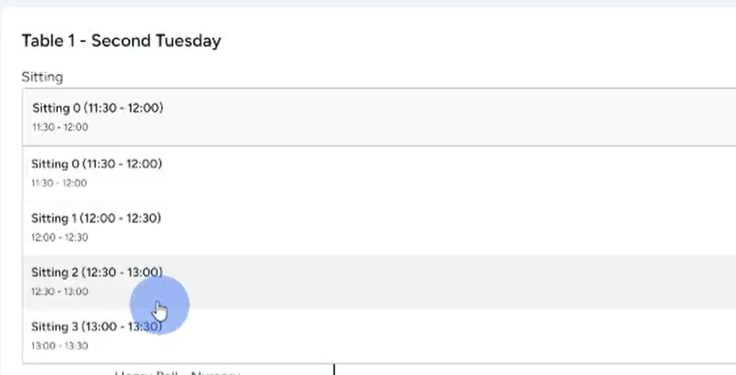
Once logged in a menu will be displayed at the top called serving. Please click on this tab. The table plans will then be displayed.

  • You can then use the drop down to select the sitting.
  • Sitting 0 is Nursery, followed by sitting 1 and 2.
  • Sitting 3 will be used when children are having lunch at a different time due to trips, kayaking etc.

When you select a sitting the table plan will be displayed. You need to scroll down to see all the children on the table.

  • Children who have an allergy that is relevant to the menu for that day will have a ‘chef to serve’ next to their name.
  • These children will have a labelled separate meal prepared for them by the chef, specifically for them.

Cooking

Cooking

On the iPad please click on the web browser  (Microsoft Edge)  and the new dining system login page will be displayed.   

If the login page does not display please type in the website: https://dining.tcat.education  

Chef’s have been issued a password.  If you are using a kitchen iPad the username and password is on the back of the device. Once logged In:

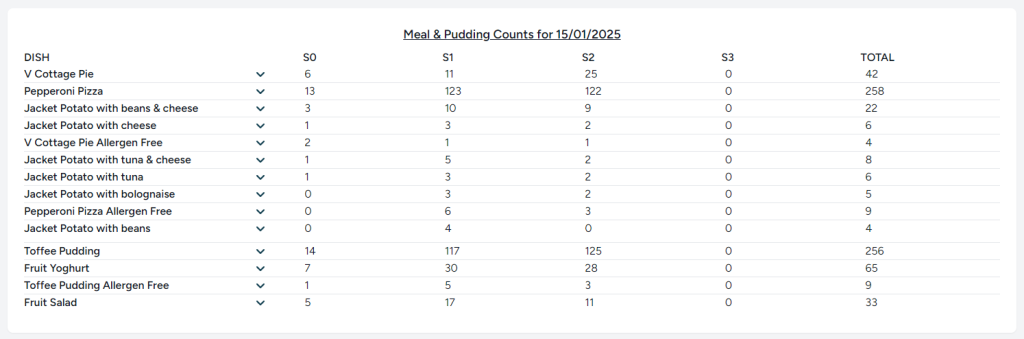
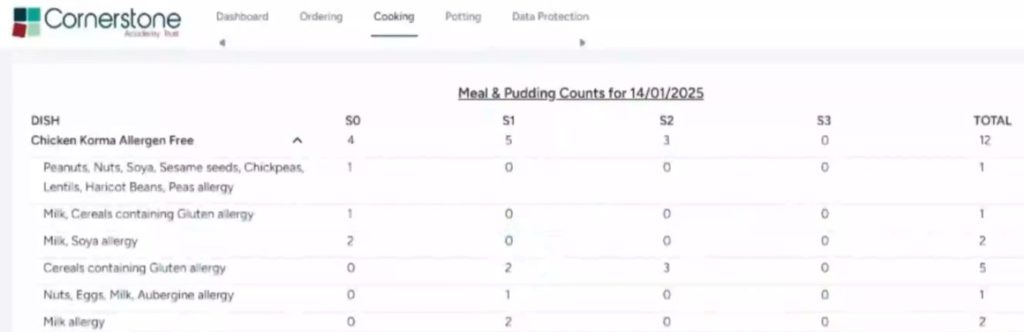
  • If you click on the cooking tab you can view the numbers for that day
  •  Sitting 0 is the 11:30am Nursery sitting, then sitting 1 and 2.  Sitting 3 is for when we have children on a trip. The drop downs next to each dish show the total allergen breakdown for each meal for quick reference. 

Walking through tutorial 
Click below to watch

Potting

Potting

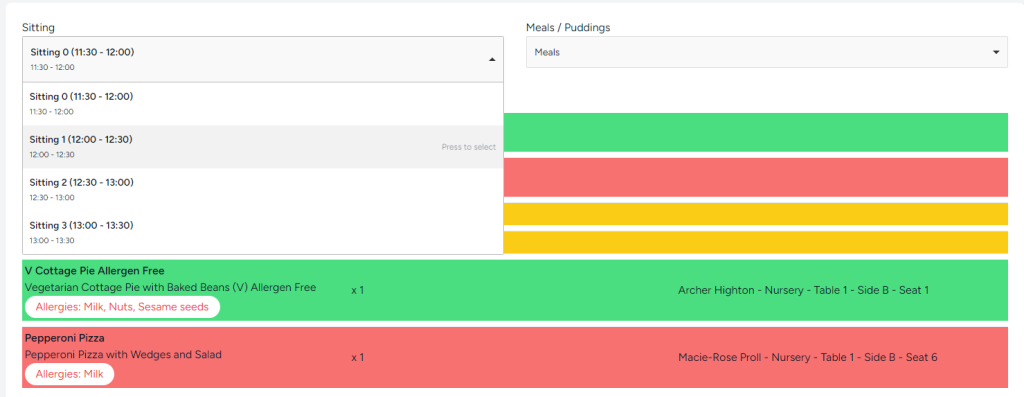
The potting page shows you the total meals for each table that need to be potted. You can toggle between sittings  on the left – shown below and meals or puddings on the right.   

  • The Meals/Puddings drop down allows you to see the meals, puddings and ‘chef to serve’ totals.
  • The chef to serve will show you which children have a specific allergen meal prepared by the chef.  These will be labelled with the child’s name, meal choice, table, side and seat number. 

Walking through tutorial 
Click below to watch

Contact Us

Contact Us

We'd love to assist you with any queries or support you may need. Feel free to get in touch through any of the following ways:

Call Us: 01392 304040 (Line 4)

Ingredients:

  • Diced Chicken Breast

  • Onion

  • Puree Garlic

  • Madras Spice Curry Powder

  • Rapeseed Oil

  • Spice Ground Ginger

  • Coconut Milk

  • Korma Sauce

  • Boullion Chicken Powder

  • Peas

  • Sweetcorn

  • Cornish Sea Salt

  • Long Grain Rice

  • Spice Turmeric

  • Wholegrain Rice

Nutritional Information

NutrientPortionPer 100g
Carbohydrate

24.96 g

10.19 g

Energy

270.96 kcal

110.60 kcal

Fat

10.66 g

4.35 g

Fibre

1.69 g

0.69 g

Protein

18.75 g

7.65g

Salt

0.64 g

0.26 g

Saturated Fat

5.85 g

2.39 g

Sugar

4.13 g

1.68 g

Allergens Information

Contains: Milk, SO2, Mustard and Wheat

Close
Close